Chrome extension · free and open source
Talk to AI.
Keep your data to yourself.
Velami hides names, card numbers, IBANs and passwords before your message reaches ChatGPT, Claude, Gemini or Perplexity. The answer comes back with the real values. Everything happens on your computer.
Coming soon to the Chrome Web Store.
Try it right here
- Bank card
[[CARD_1]] - IBAN
[[IBAN_1]] - E-mail
[[EMAIL_1]] - Phone
[[PHONE_1]]
This box runs the same rules as the extension, right in this page. Nothing is sent anywhere. In the extension a local model also finds names and addresses.
Nothing changes in the way you chat
Velami works quietly between you and the AI. You only notice it when it matters.
-
1
Write as usual
A small panel next to the input shows what the AI will actually receive, while you type.
-
2
Velami swaps the data
Before the message leaves, personal data turns into labels like
[[EMAIL_1]]. The real values stay in your browser. -
3
Read the real answer
The AI replies with labels. Velami puts your data back, on your screen only. Copying gives you the real text too.

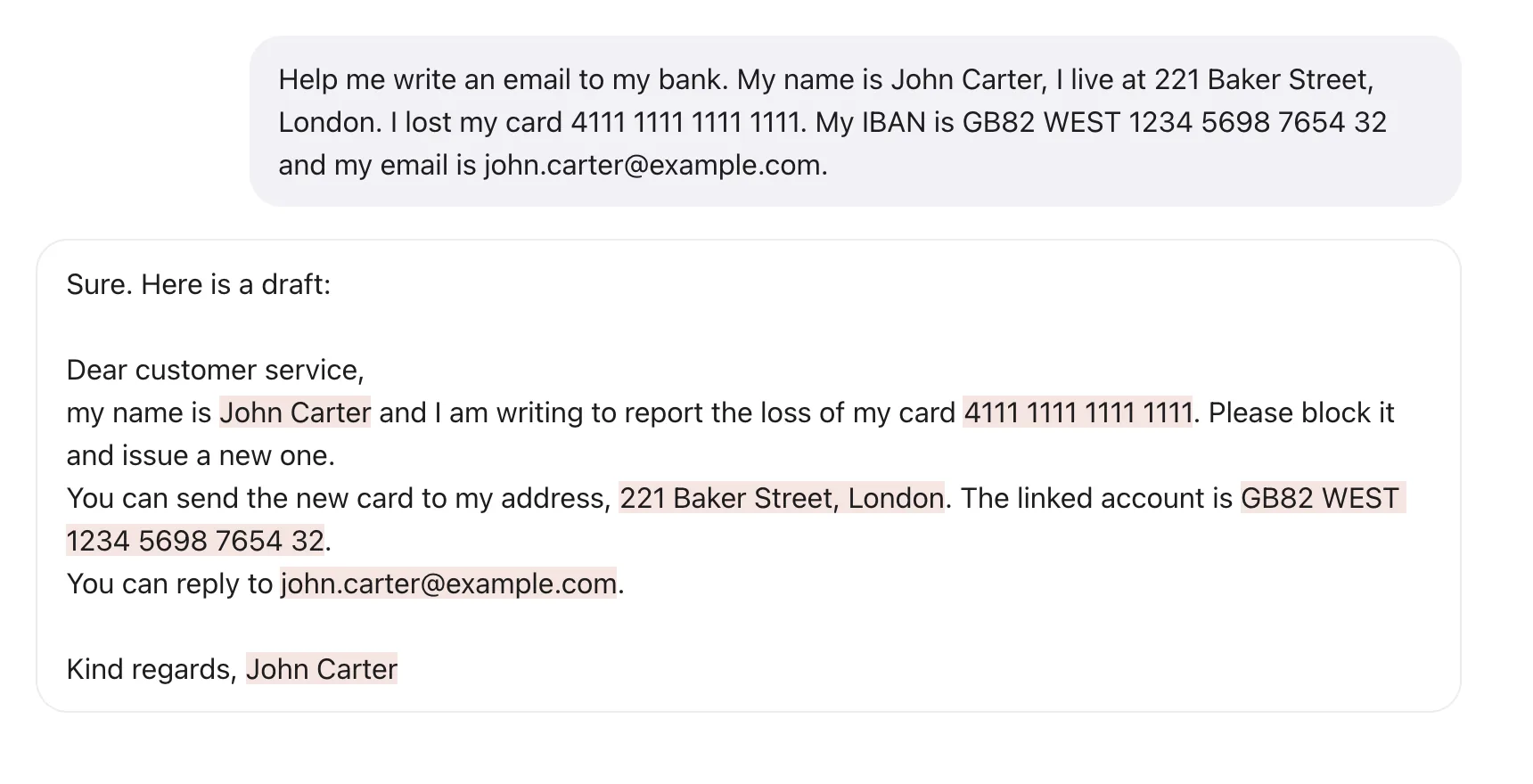
What it hides
Numbers are matched by format and checksum, so a random number is not mistaken for a card. Names and addresses are found by a compact AI model that ships with the extension and runs offline.
- Names
- Addresses
- Bank cards
- IBAN
- Phone numbers
- Tax codes
- Passports and ID cards
- Dates of birth
- Car plates
- API keys
- Passwords
- IP addresses
- Your own words
No need to trust us. Check.
Privacy tools usually ask for faith. Velami shows its work.
-
See before you send
The panel shows the exact text the AI will get. Untick anything you want to keep as it is.
-
A log of what left
Every request is kept on your computer exactly as it was sent, with a SHA-256 you can compare in DevTools.
-
Test it yourself
One button sends a sample to an independent echo server and shows you what arrived.
-
Open code
The source is public under AGPL-3.0 and the build is reproducible. Anyone can confirm the package matches the code.

Attachments too
Text files are cleaned on the fly. PDF, Word, Excel and PowerPoint are read on your computer and sent as a clean text copy. When a file can’t be checked, like a scan or a photo, Velami asks before it goes out.
Works where you chat
ChatGPT, Claude, Gemini and Perplexity work right away. Copilot, DeepSeek, Mistral Le Chat and Grok can be turned on in the settings.
- ChatGPT
- Claude
- Gemini
- Perplexity
- Copilotin settings
- DeepSeekin settings
- Mistral Le Chatin settings
- Grokin settings
For teams and companies
Give everyone the same protection without collecting a single message.
-
Company dictionary
Client names, projects and internal codes are hidden for every employee. Nobody can remove them.
-
Managed settings
Lock the settings through Google Admin, Intune, Group Policy or any Mac MDM. No extra servers.
-
Files under control
Allow only clean copies and hold back scans and images that can’t be checked.
Questions
Does Velami send my data anywhere?
No. It has no servers and no account. The only request it makes on its own is the self test you start, and that carries labels, not your data.
Is it free?
Yes. Velami is free and open source. Companies that need a different license or help with the rollout can write to us.
Which browsers are supported?
Chrome 116 and newer. Other Chromium browsers that install extensions from the Chrome Web Store, like Edge, work the same way.
Is there anything it can’t protect?
The chat site sees what you type in its input box, and a site could read it and send it in a way no extension can see. Velami keeps your data out of the provider’s logs, chat history and training data, which is where it usually ends up.
Will it slow me down?
A short message is checked in less than half a second. The model takes about 250 MB of memory while loaded and unloads itself after five minutes of rest.